fomo Perps Guide: How to Trade on Web and App
You can trade perps on fomo in the iOS and Android app and on fomo web at fomo.family, with the same account. Go long or short with leverage on crypto, stocks, indices, commodities and pre-IPO markets, provided by the third-party protocols Hyperliquid and Trade[XYZ]. fomo charges 0.05% per trade, plus the protocol's trading fee. Not available in the U.S. or to U.S. persons. Perps may also be restricted in other countries.
Perps came to the fomo app on June 11, 2026 (Perpetuals, now on fomo) and to fomo web on October 24, 2026. Live prices, max leverage by market and the basics of how perps work are on fomo perps.
fomo Perps at a Glance
| Where | The fomo app on iOS and Android, and fomo web at fomo.family, with the same account |
|---|---|
| Markets | Crypto, stocks, indices, commodities and pre-IPO, from Hyperliquid and Trade[XYZ] |
| Leverage | Up to 40x on BTC, 25x on ETH, 20x on SOL and 10x on most altcoins, set per market |
| Minimums | 5 USDC into your perps balance, 15 USDC per position (including leverage) |
| Orders | Market orders to open; take profit, stop loss and limit close on open positions |
| Margin | Isolated or cross, chosen per position (some markets are isolated only) |
| Fees | fomo 0.05% per trade, plus the protocol's fee on the full position size |
| Funding | Paid every hour, by one side to the other |
| Who can't trade | U.S. persons and anyone in the United States |
Set Up Perps on Web or in the App
- Open fomo. Download the app on iPhone or Android, or go to fomo.family on a computer. Sign in with your Apple ID or Google account. Already on fomo? Sign in with the same account and your balance and positions are there.
- Confirm you're not a U.S. Person. When you first set up perps, you tick a box stating that you aren't a U.S. Person and aren't in the United States.
- Fund your perps cash balance. Perps use their own USDC balance, separate from the token cash balance you use for spot. In the app, tap Transfer cash on your profile screen. On web, use the Transfer to perps cash link in the order panel. The minimum is 5 USDC, fomo charges no fee, and the money usually lands within a few minutes. Your first transfer also opens your perps account, and fomo covers the protocol's 1 USDC account fee.
No USDC yet? Deposit first with a debit card, Apple Pay, or USDC sent from another wallet or exchange. The Help Center explains funding your perps cash balance.
Trade perps on fomo now
Scan to download fomo, or log in on fomo web.
Download appNot available in the U.S. or to U.S. persons.
Place Your First Perp Trade
- Pick a market. Open Perps and choose one, like Bitcoin, Nvidia or Gold. On web you can filter the list by crypto, stocks, commodities or indices, and each market shows its max leverage.
- Choose long or short. Long if you think the price will rise, short if you think it will fall.
- Set leverage and size. Leverage comes in whole numbers (1x, 2x, 3x and so on), up to the market's max. The smallest position is 15 USDC, including leverage.
- Pick isolated or cross margin. Isolated keeps each position's collateral separate. Cross lets your cross-margin positions share collateral, which can put more of your balance at risk. A few markets are isolated only.
- Add take profit or stop loss if you want them now. You can also add them later.
- Check and confirm. Before you confirm, you see the estimated entry price, the margin you'll lock, your estimated liquidation price and the fee. Your order fills at the best available price.
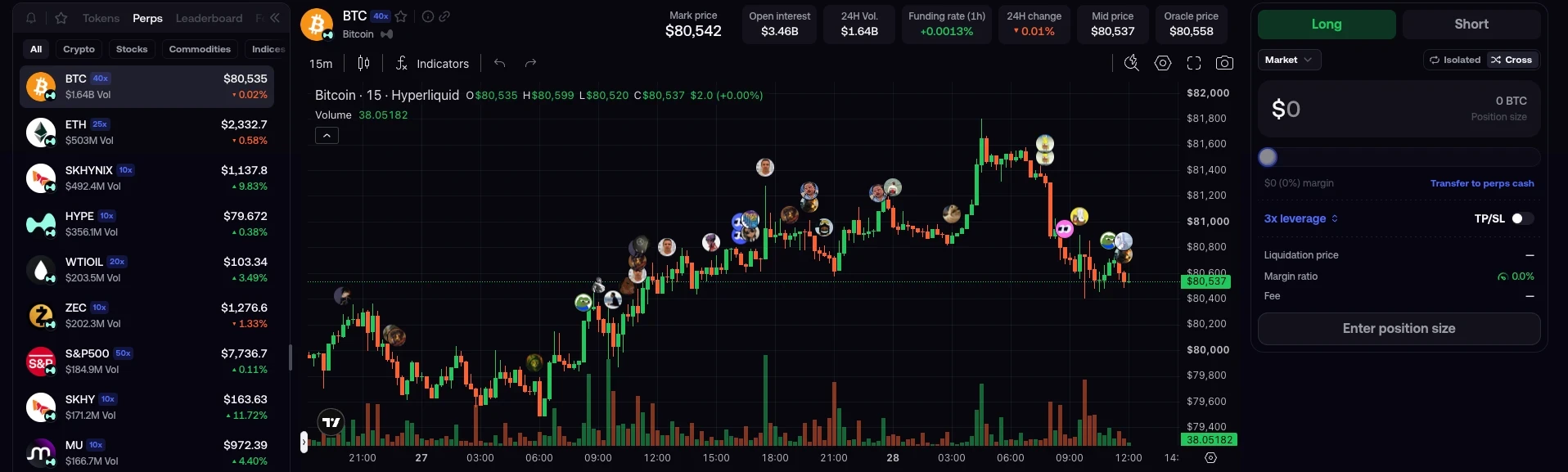
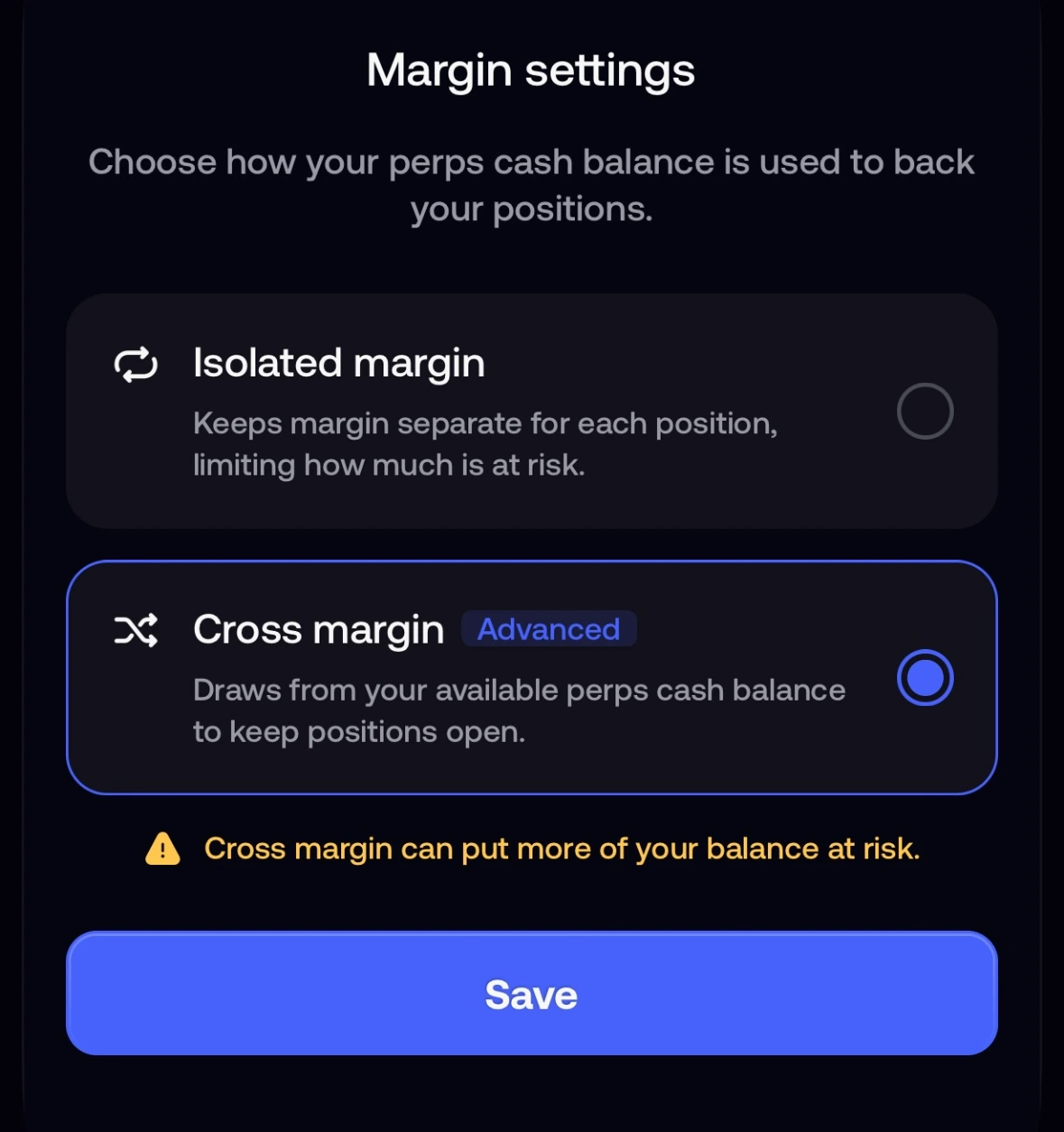
The Help Center walks through placing a perps trade and leverage on perps step by step.
Manage an Open Position
- Watch it live. Open positions show your profit and loss as the price moves.
- Add or remove margin. In the app, open the position and tap the pencil icon. Adding margin moves your liquidation price further away. Removing it brings liquidation closer.
- Set or change take profit and stop loss. Same pencil icon, then Edit SL/TP. Both trigger on the mark price, not the chart price, and fill as market orders. In a fast market the fill can land past your stop.
- Close it. Close at any time, or use Place limit close on the position card to close at a price you choose.
- Trade from the chart on web. fomo web has TradingView charts, and you can manage your orders right on the chart.
- Take money out. Transfer from your perps cash balance back to your token cash balance (minimum 2 USDC; only margin that isn't backing an open position), then withdraw as usual.
The Help Center has more on stop loss and take profit.
See What the Traders You Follow Are Doing
Perp positions from the traders you follow show up in your feed, on their profiles and on leaderboards, and you can get notified when they enter a position. Filter the feed to perps to see who opened, updated or closed what. Creator rewards cover perps as well as spot.
Costs and Risks Before Your First Perp
- Fees. fomo charges 0.05% per trade, plus the protocol's trading fee on the full position size, when you open and when you close. The exact fee shows before you confirm.
- Funding. Every hour, one side pays the other. Longs pay shorts when the perp trades above spot, and shorts pay longs when it trades below. The amounts are small but add up over days. Check the current rate on the market before you trade.
- Leverage. Leverage makes gains and losses bigger. At 10x, a 5% move against you costs half your margin. At 40x, about 2.5% wipes it out.
- Liquidation. If the margin in a position falls below the maintenance level, the position closes automatically. It triggers on the mark price, and the liquidation price you see is an estimate. Lower leverage or a stop loss gives you more room.
- Auto-deleveraging. Stock and commodity perps may not have the insurance fund or backstop protections some other markets have. That raises the risk that the protocol reduces or closes positions, even profitable ones, at prices it sets (auto-deleveraging).
- Protocol risk. fomo builds the app, but order matching, liquidations and custody run on third-party protocols, which can have downtime or bugs that affect your positions.
New to perps? Read what they are and how they work. The Help Center has more on perps trading fees and the risks of perps trading.
fomo Perps FAQ
Can I trade fomo perps on web and in the app?
Yes. Perps are in the fomo app on iOS and Android and on fomo web at fomo.family, with the same account. Your perps balance and positions are the same on both. Not available in the U.S. or to U.S. persons.
How do I start trading perps on fomo?
Sign in with your Apple ID or Google account, confirm you're not a U.S. Person, move at least 5 USDC into your perps cash balance, then pick a market, choose long or short, set your size and leverage, and confirm.
Which perps can I trade on fomo?
Markets listed on Hyperliquid and Trade[XYZ]: crypto, stocks, indices, commodities and pre-IPO companies. Browse them on fomo perps.
How much do I need to start?
Move at least 5 USDC into your perps cash balance. The transfer is free. The smallest position is 15 USDC, including leverage.
What does trading perps on fomo cost?
fomo charges 0.05% per trade, plus the protocol's trading fee on the full position size, when you open and when you close. Funding is a separate hourly payment while a position is open.
Can I trade fomo perps in the US?
No. Perps on fomo are not available to U.S. Persons (citizens, residents, or anyone located in the United States).
Keep reading:
- fomo perps: markets, fees and how perps work
- fomo release notes (perps on web and cross margin, October 26, 2026)
- Perpetuals, now on fomo (June 11, 2026)
- Announcing fomo web (April 29, 2026)
- Perps guides in the fomo Help Center
Important Notice
Perpetual futures (“perps”) on fomo are provided by third-party protocols and are not available to U.S. Persons (citizens, residents, or anyone located in the United States). Do not attempt to access perps from within the United States. Perps may also be restricted in other countries. Perps are leveraged and carry a high risk of fast losses. Positions can be liquidated, or reduced or closed by the protocol at prices it sets (auto-deleveraging), even when profitable. Only trade what you can afford to lose. Nothing here is investment advice.