See All Your fomo Activity in One Place
The Notification Center lists follows, likes, invites and sends in one feed on Home.
What Is the Notification Center?
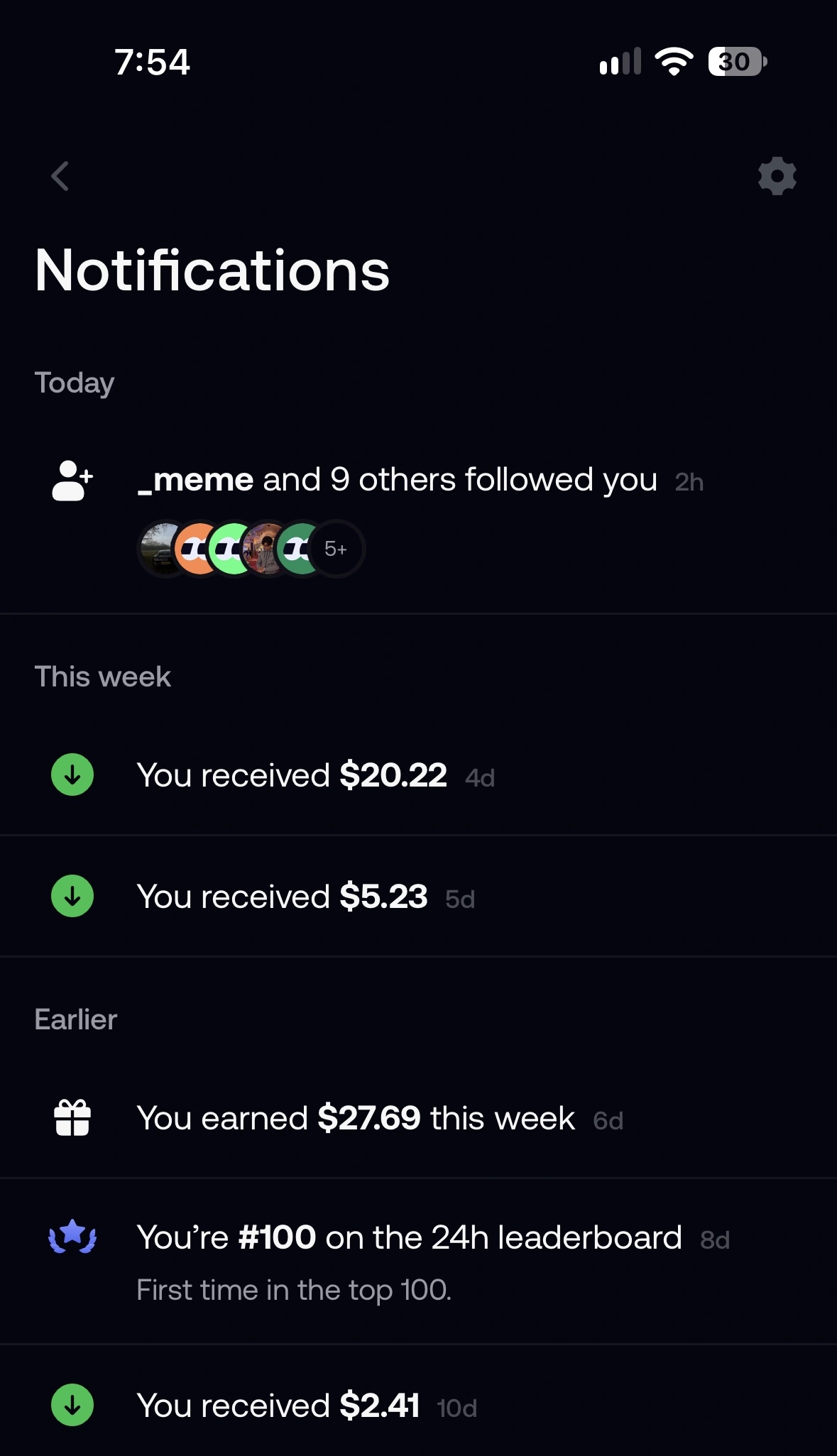
The Notification Center is the screen behind the bell in the Home header. The screen is titled Notifications. It is one list, newest at the top, and it does not split rows into tabs.
It is in the fomo app on iOS and Android, not on the web.
The list groups rows under Today, This week and Earlier. Each row also shows how long ago it happened, such as 2h or 4d.
The copy on this screen follows the language set for the app. Where to change that is in Changing the app language.
How It Works
- Open the fomo app and go to Home.
- Tap the bell in the header. A red dot on the bell means you have unseen notifications.
- On Notifications, pull down to refresh the list.
- Tap the row you want.
- Leave the screen. The red dot on the bell clears.
What Shows Up
- A new follower. When several people follow you together, one row names one of them and how many others followed you, and stacks their profile photos. The stack can include a count, such as 5+, for photos that do not fit.
- A like on a thesis you posted. The token shows on the row as a chip.
- A clan invite. The row is a person's name, then “invited you to”, then the clan name. A clan join is a separate row.
- A send you received. The row reads You received and a USD amount. A USDC send is shown that way.
- Weekly earnings. The row reads You earned, a USD amount, and this week.
- A leaderboard rank. The row names your place and the board, for example “You're #100 on the 24h leaderboard.” The boards are 24h, 7d, 30d and all-time.
- A referral.
Clan invites show up in this list. They no longer use the blue dot on the Leaderboard tab. Clans themselves are explained in Clans.
What a Tap Opens
Different notifications open different places in the app. For example, some open a token page and some open the referrals page. A thesis notification opens straight to the comments.
Unread Dots
A red dot on the bell means at least one notification is unseen. Opening the center and leaving it clears the dot on the bell.
New to fomo?
The bell is on Home in the fomo app once you have an account. Account creation is covered in Creating your fomo account.