Navigating your fomo app
fomoDecember 25, 2025


Fomo is the #1 social trading app for crypto. It's the app where alpha meets execution with all the necessary tools at your fingertips, making it the only app you will ever need in crypto.
Whether you want to track top traders, find the next big memecoin, or simply stay up to date with all the latest news in the crypto world, the fomo app has you covered.
This is your comprehensive guide to navigating every section of the fomo app. Crypto is about to become a whole lot easier for you.
How to use fomo?
STEP 1: Create an account
Creating an account takes one click. Simply sign up with your Email address or Apple ID.

STEP 2: Deposit funds
As you can see, you have three options. Crypto, debit card, or Apple Pay.
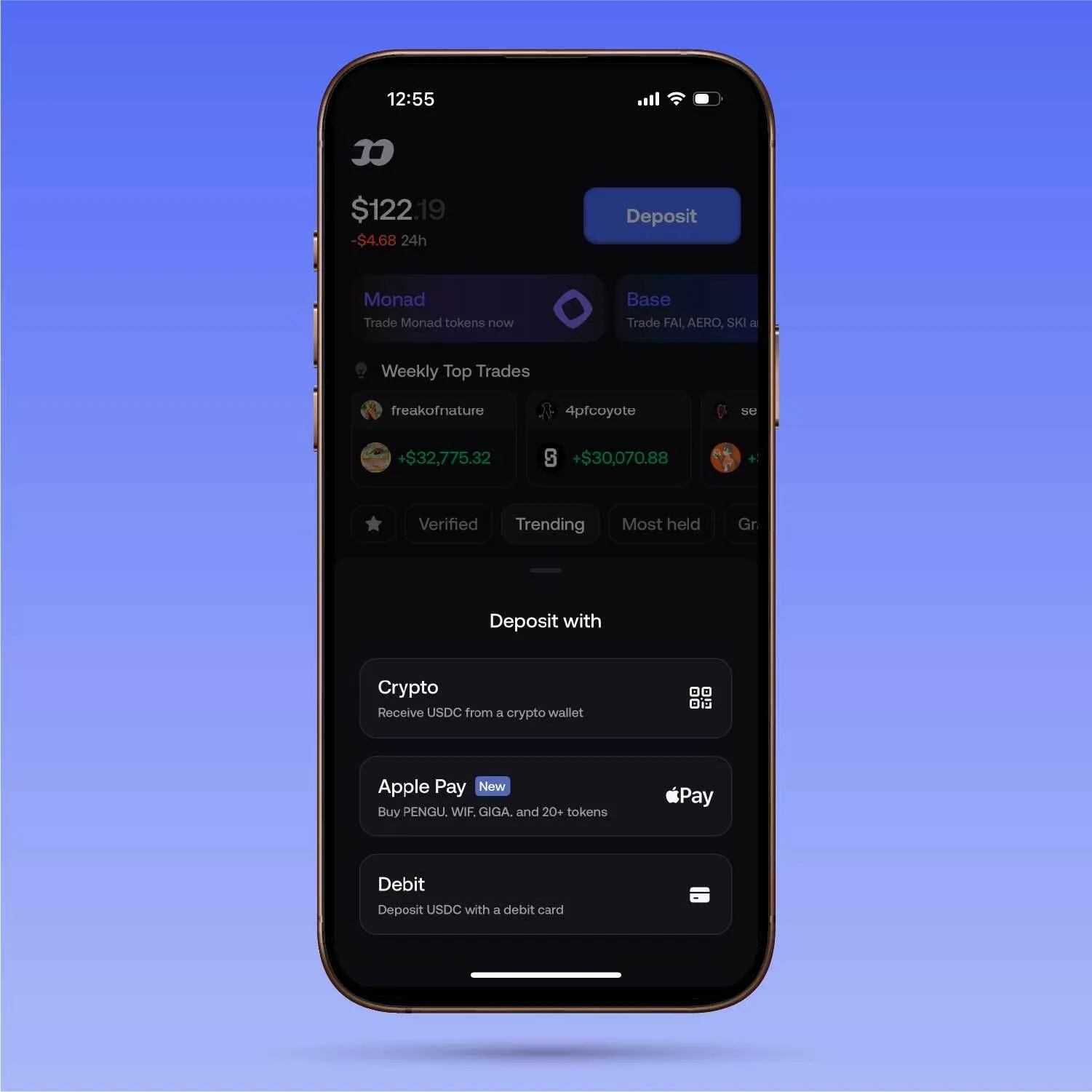
Select your preferred option and the amount you would like to add to your fomo account. Once that's done, you are now ready to use fomo.
STEP 3: Navigate through the app
Now that you're all set, this is the homepage.
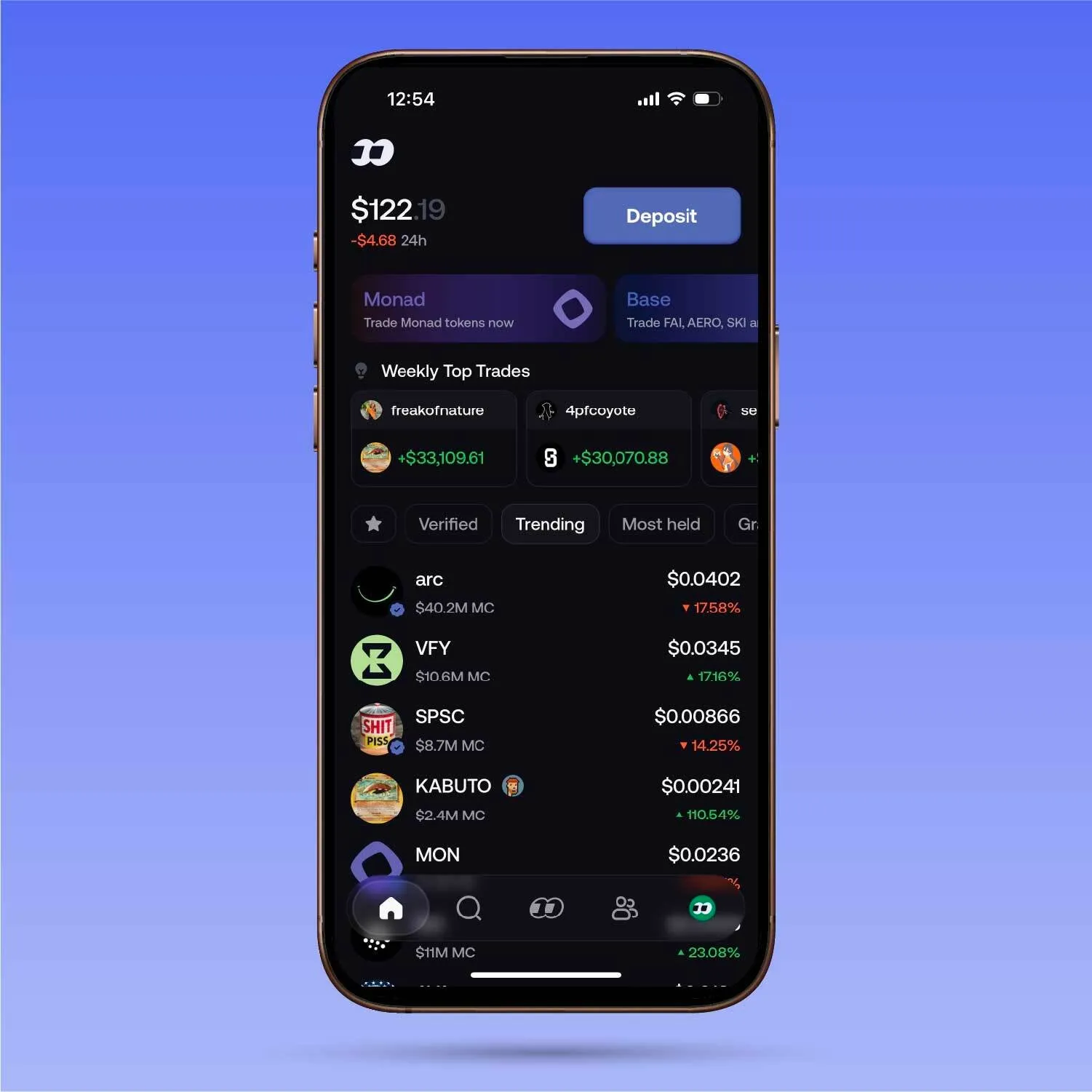
There are multiple filters, such as "verified," "trending," and "most held." Pick any filter based on what you're looking for, and scroll down to find all the available assets.
Once you click on an asset, you will get all the relevant information.
You will find information about holders on fomo and all the important details about the asset, including links to websites and social media accounts.
Once you're ready to buy, click the button at the bottom. You can either buy directly through Apple Pay (for select tokens only) or use the funds you deposited into your account.
Oh, and there are also cards for wins and fumbles, so you can share your gain or pain with your friends across your social media.
You will see five options at the bottom of your screen. If you click the button just adjacent to the home icon, you will reach the search section.
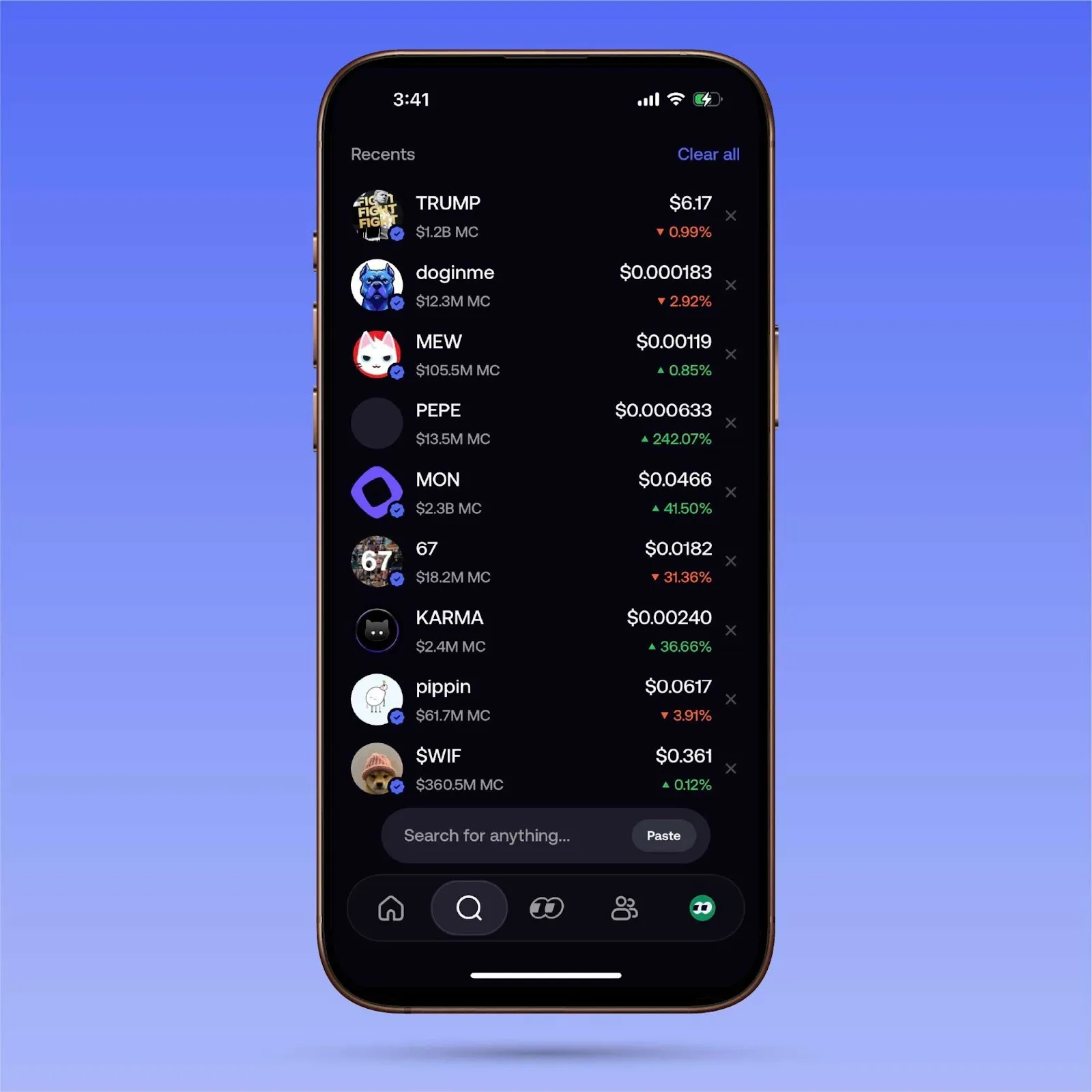
Pretty self-explanatory here.
You can search for anything on the fomo app from here. Suppose you've heard about a new coin and want to either do your research or purchase it. Simply look it up in the search bar.
You can also search for user profiles. A friend of yours may have mentioned a particular trader who's doing exceptionally well. You can search for their name here and review their profile for yourself, then decide if they're worth following or not.
If you move to the button in the middle of your bottom panel. You will see the social feed.
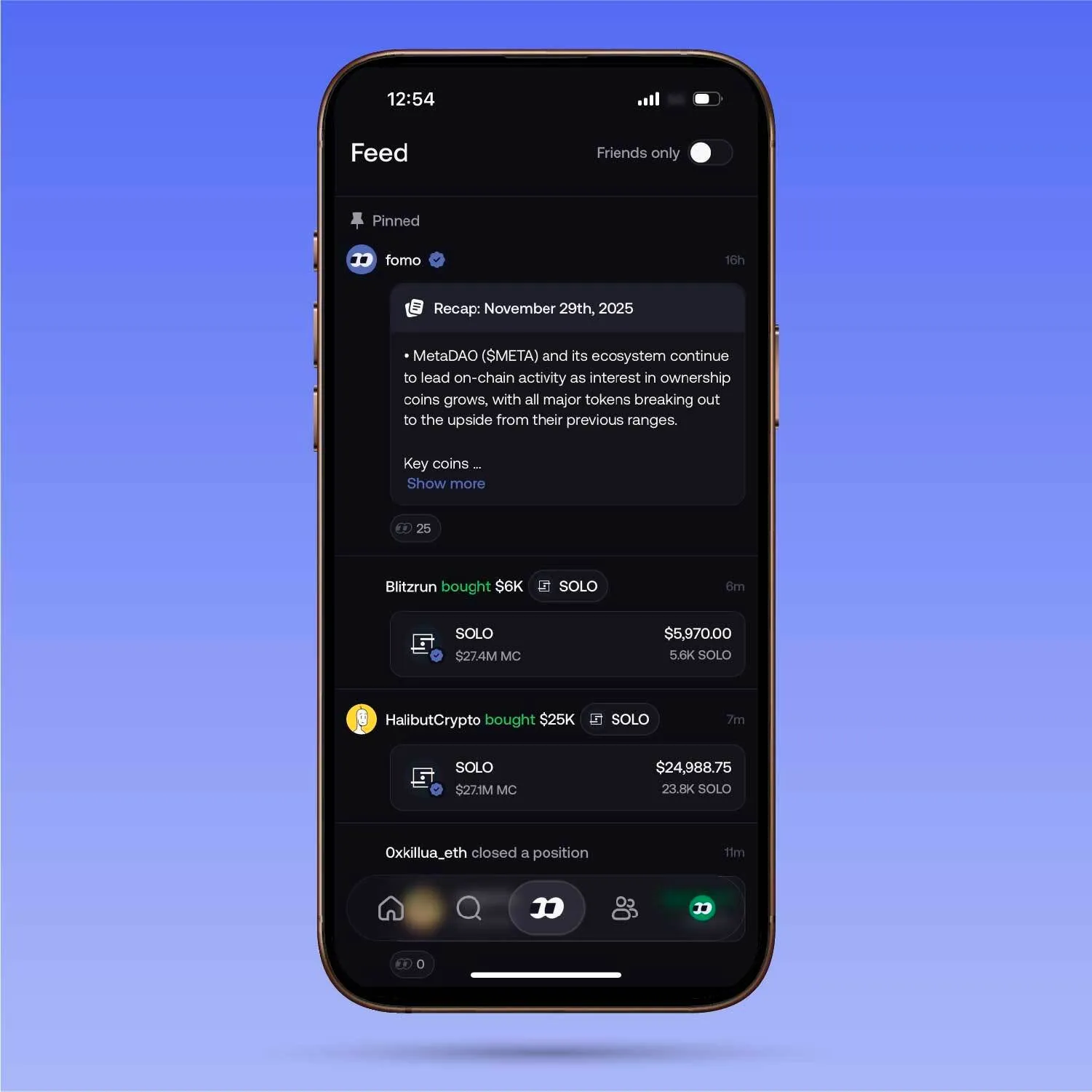
This is like your Twitter feed for crypto trading.
All the accounts that you follow, as well as the top traders on the app, will show up here.
Alongside, all the buys and sells will pop up here, with frequent updates of the position's status.
So, by scrolling this feed, you will know how much they are up or down on a given trade. Check the feed out now to see all the latest trending trades and be early.
The feed's purpose is to make tracking and discovery as easy as scrolling through any social media app.
Additionally, fomo enhances your research and discovery process with daily summaries and thesis write-ups, providing an extra educational resource to keep you ahead of the curve.
The next section is the friends and leaderboard section.
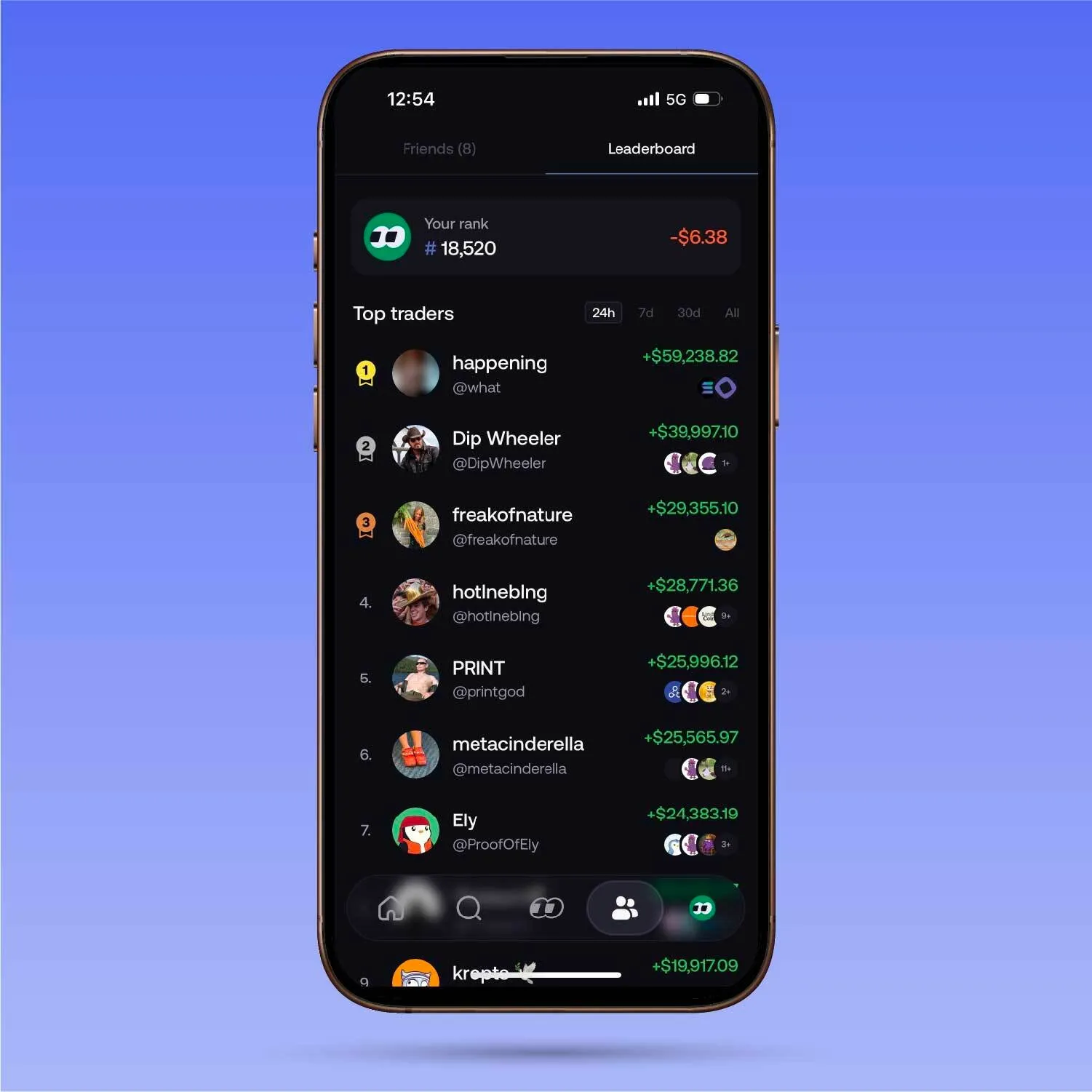
The leaderboard section will show you the top traders on the app over different time frames. So if you would like to track the best traders and copytrade them, you can:
- Click on the profile
- Follow them
- Check their trade history
- Turn on notifications to know whenever they've placed a trade
- DYOR and decide if you would like to copytrade them
Right next to the leaderboard panel is the "Friends" panel. Here, you can follow any fomo account you want, search for any of your friends, and follow them.
If you go to the rightmost icon at the bottom of your screen, you will see your profile.
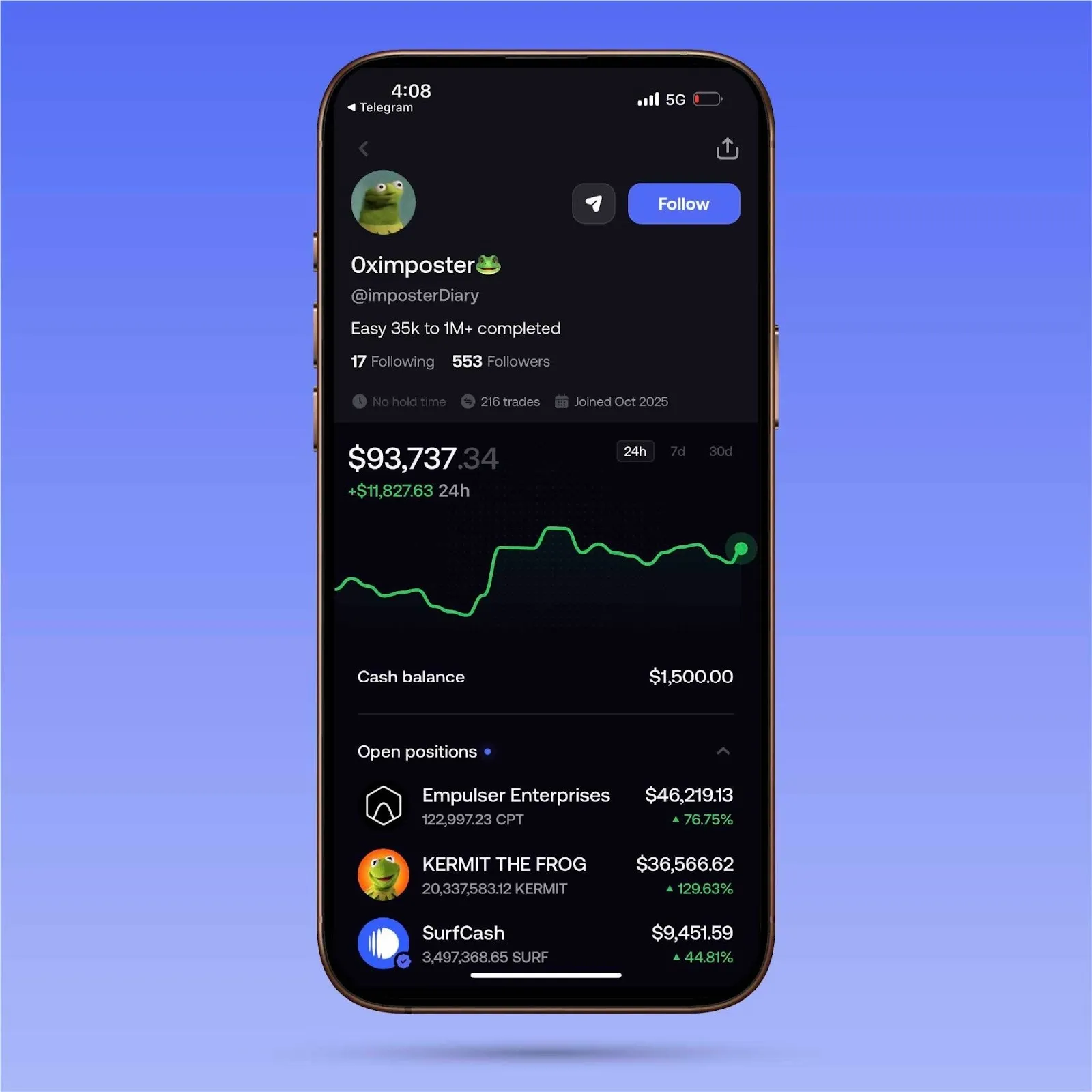
Here you get all the information about your personal profile: volume, followers, following, etc.
Most importantly, you'll have a chart visualization of your portfolio performance across multiple timeframes. You can also get a detailed breakdown of all your activity on the app.
STEP 4: Withdrawing funds
If you made life-changing money, then it's time to secure your freedom and withdraw some funds.
You have the option to withdraw via crypto, debit card, or bank account. Withdraw by clicking on your cash balance on your profile page.
With that, you're all set—you are now a fomo savant. Download the app and feel fomo no more.
To stay up to date with all the latest updates from fomo, be sure to follow us on X and join the Discord. To learn more about fomo, be sure to check out the website.