A Guide To Deposits & Withdrawals: Crypto, Apple Pay, Debit Cards, and Bank Accounts
fomoDecember 25, 2025

fomo is the #1 social crypto trading app, offering you the tools and features to make your crypto journey as easy as interacting with any social media platform.
However, a best-in-class UX only matters if the process of signing up and getting started is just as seamless. With fomo, it'll take you only two minutes to be up and ready to begin your crypto journey.
Whether you're a beginner with no money in crypto or if you're a crypto savant with funds in hot wallets, fomo has everyone covered.
Depositing with fomo
You've heard the rags-to-riches stories, someone bought a random animal memecoin that changed their lives. Now it's your turn. There are two options when you want to start.
Option 1: Centralized exchange (CEX)
Centralized exchanges like Binance, Coinbase, and Bybit, among others, are popular starting points. They serve a purpose within the industry but are far from optimal.
- You have to find a CEX that's available in your jurisdiction
- You set up your account
- You then go through a lengthy KYC and verification process
- Only once verified, you'll be able to connect your bank account
- Once your bank account is connected, you can deposit fiat and convert it to crypto
Even after all of this, when trading on a CEX, your coin options are limited by what that specific CEX has listed, and your assets are in the custody of a CEX. So in the event of a bankruptcy or a hack (this has happened before), your hands are tied and your funds are gone.
Option 2: fomo app (the better way)
The fomo app simplifies the entire onboarding process. It's as easy as making a new Instagram or X account.
- You can social login via your email or Apple ID.
- Once your account is created, you can click on deposit to get started
- Users can deposit via:
- Debit card
- Apple Pay
- Crypto
Just like that, you're ready to begin trading.
Your assets are self-custodied, which means you're in control and have access to a plethora of assets, as fomo is integrated with Solana, Base, and BNB Chain, with more to come in the near future.
Apple Pay
Yes, getting your money into crypto is significantly easier with fomo, but maybe you don't want to go through the process of putting in your debit card details.
Well, you can just use Apple Pay directly.
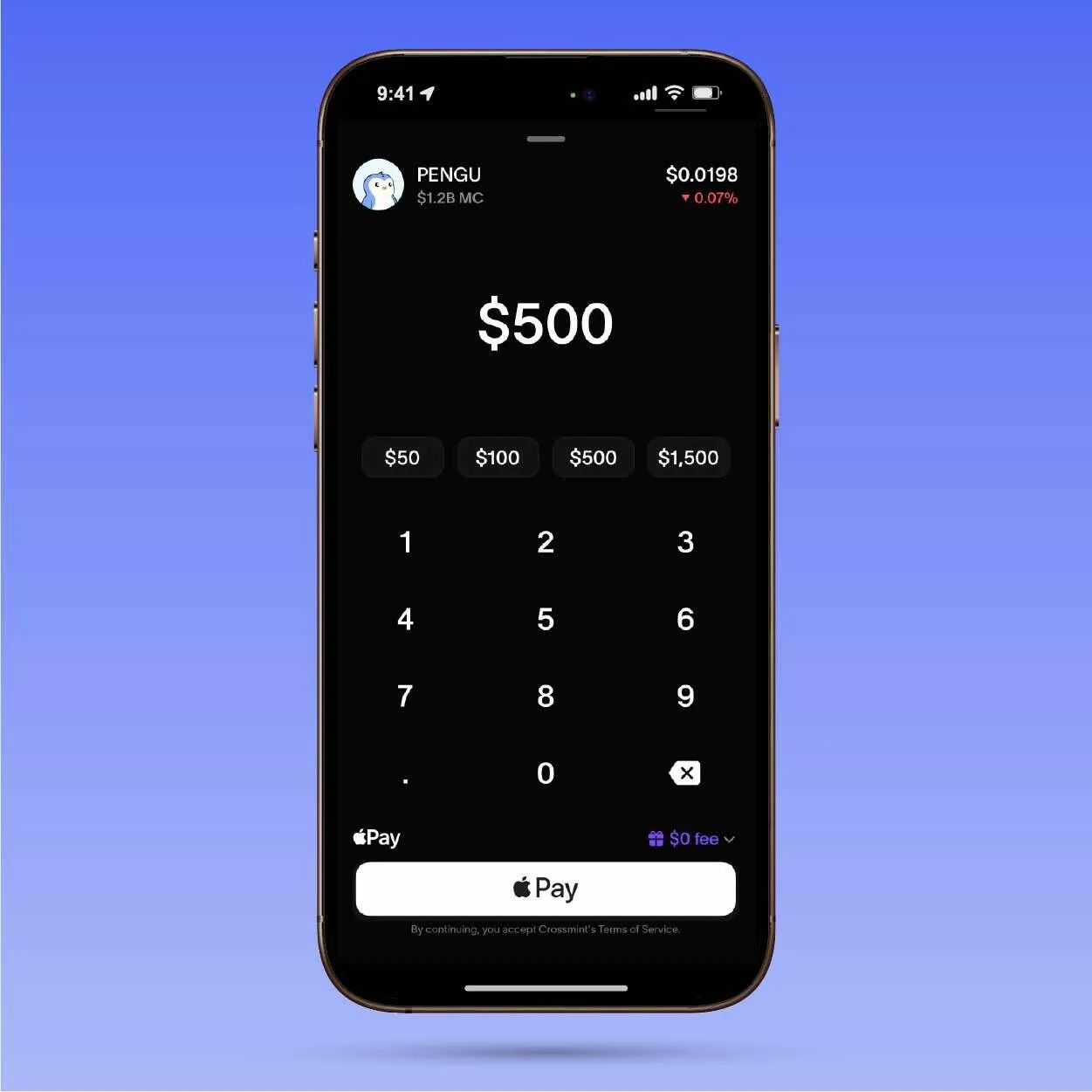
Let's say you're looking to buy some PENGU. You can find the asset on the fomo app, and when you click on it to buy, you will see an option to pay directly using Apple Pay.
Select that option, confirm the payment, and boom, you're now a holder of PENGU.
Debit card
Depositing your fiat money into crypto has never been easier. You don't need to worry about linking accounts or convoluted processes. Just follow the steps below:
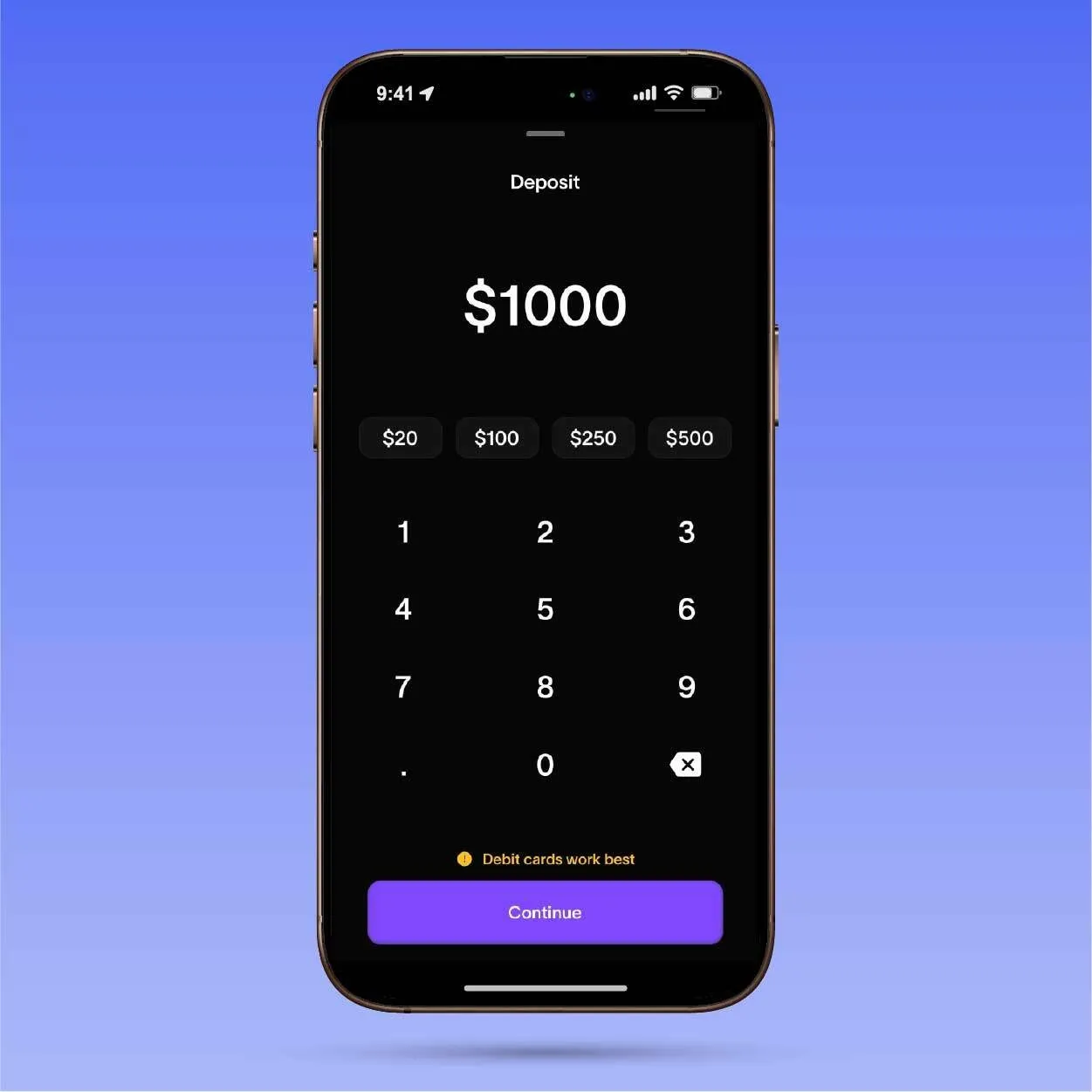
- Click on "Deposit", and select the "Debit Card" option
- Input the amount you would like to deposit in dollar terms
- Once you confirm the amount, it should redirect you to a payment page
- Input your debit card information and confirm the transaction, just like you would with any online purchase
- Voila, your fomo account will be topped up in no time
No long wait times, just as quick as buying your favourite shoes from Nike. You are now ready to buy the next 100x memecoin (godspeed).
Crypto
If you're someone who already holds assets in crypto onchain, and maybe you just want a smoother trading experience, it should take you no more than two minutes to deposit your assets on fomo.
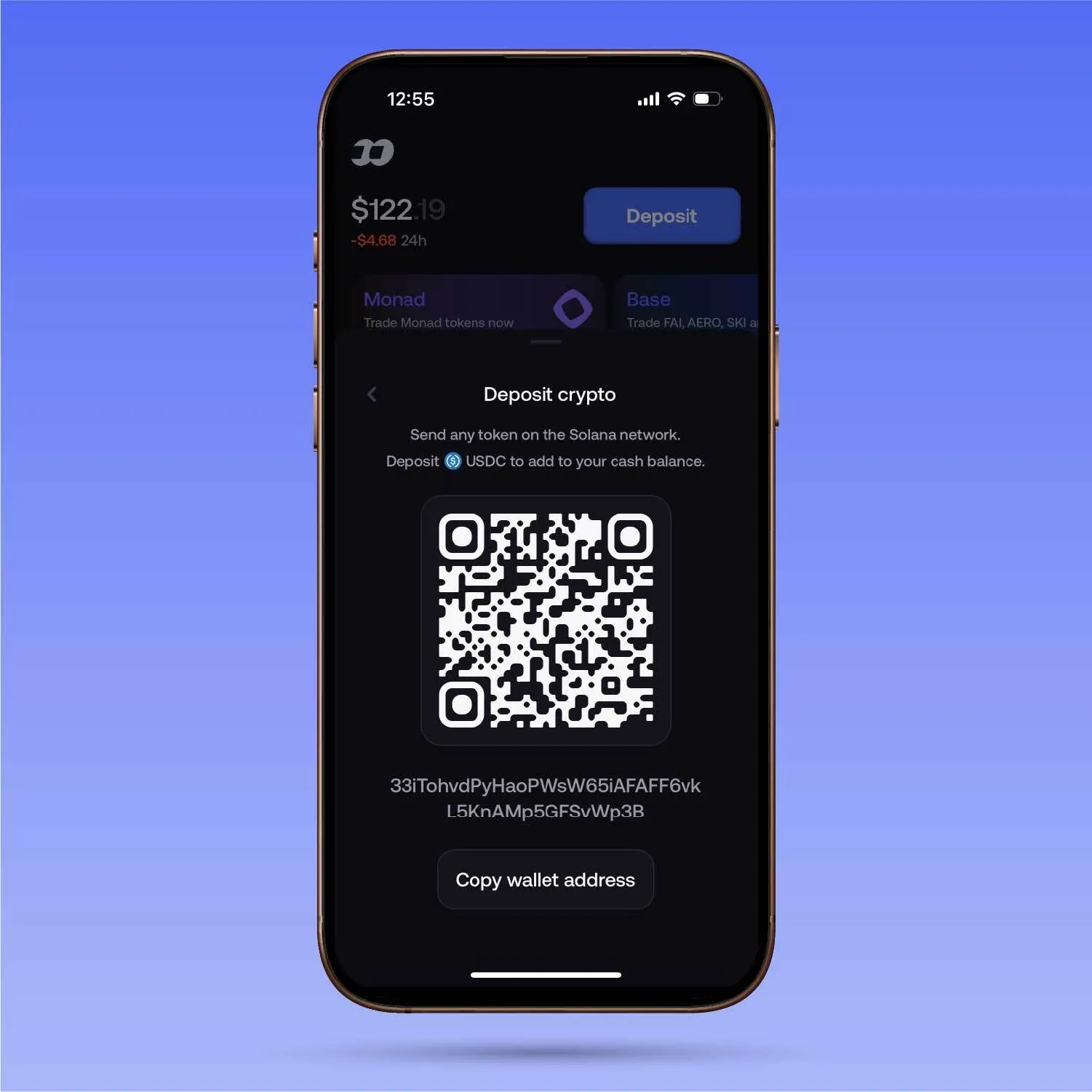
- Click on "Deposit" and select the "Crypto" option
- Choose your preferred chain from where you will be depositing the assets
- You will see a QR code and wallet address to which you can send the assets
- Copy the address, and send the funds.
- NOTE: You can ONLY send USDC and have to send it on supported networks.
- You are now ready to trade on fomo
Withdrawing from fomo
Nobody else believed in you, but we did. You hit that trade and actually made a good amount of money in crypto. You're now looking to cash some out and enjoy the fruits of your labor.
With fomo, the withdrawal process is just as smooth as the deposit process.
Bank account
Once you're ready to withdraw from fomo, you will first need to connect your bank account and input the bank information. Once all the details are verified and your bank account is officially linked. You should be all set.
When you want to withdraw, all you have to do is:
- Click on "withdraw"
- Select the account that you would like to withdraw to
- Choose the amount that you would like to withdraw
- Confirm the withdrawal
- Enjoy the fruits of your labor
Note that withdrawals to bank accounts are not supported in all regions.
Crypto
The other option is to withdraw via crypto.
The process for this is very similar to how you would deposit using crypto:
- Click on "Withdraw"
- Select the crypto option
- Input the wallet address that you would like to withdraw your assets to
- IMPORTANT: Ensure the wallet address is correct and that you are withdrawing to the correct network. Withdrawing to the wrong network can result in the loss of funds. Furthermore, ensure that the wallet address you are withdrawing to accepts USDC.
- Input the amount you would like to withdraw from fomo
- Confirm the withdrawal
- Give it a couple of seconds, and you should see your withdrawal in your wallet.
fomo is built to make your crypto journey as seamless as possible. Easy to trade, easy to find assets, and also easy to onboard/offboard your funds. When it comes to crypto, you don't need anything other than the fomo app.
To stay up to date with all the latest updates from fomo, be sure to follow us on X and join the Discord. To learn more about fomo, be sure to check out the website.